Journeys से follow-up अपने-आप करवाएं
संक्षेप में: Journey एक follow-up है जिसे आप एक बार सेट करते हैं। कुछ होने पर (नया lead, कॉल का नतीजा, जवाब, webhook या तय समय) यह आपके AI agent से कॉल करता है, WhatsApp या email भेजता है, CRM अपडेट करता है और इंतज़ार करता है, कदम दर कदम। तैयार template से शुरू करें, अपने शब्दों में बताएं, या canvas पर बनाएं; फिर Test से जांचें और Publish करें।
BookAICall का step-by-step गाइड। BookAICall एक AI voice agent platform है जो businesses के लिए हिंदी, English, Hinglish और दूसरी भारतीय भाषाओं में phone calls करता और उठाता है। Updated .
स्टेप बाय स्टेप
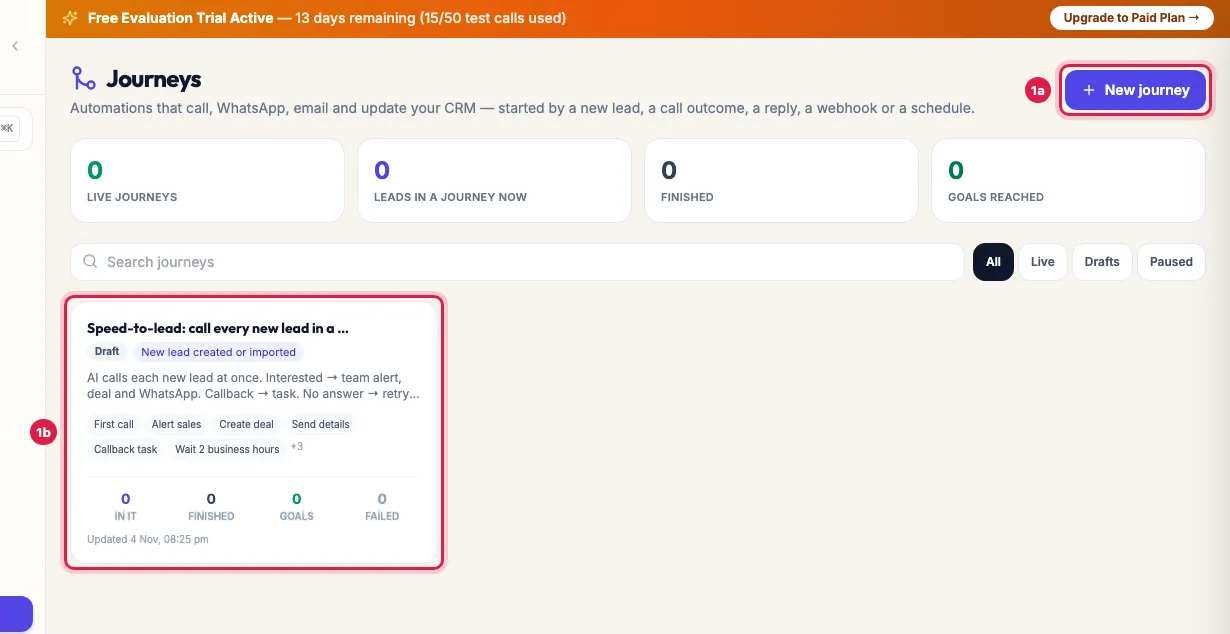
Journeys खोलें। हर card पर journey का status (Draft, Live या Paused), उसे क्या शुरू करता है, और कितने leads उसमें हैं, पूरे हुए या goal तक पहुंचे, दिखता है। New journey पर क्लिक करें।
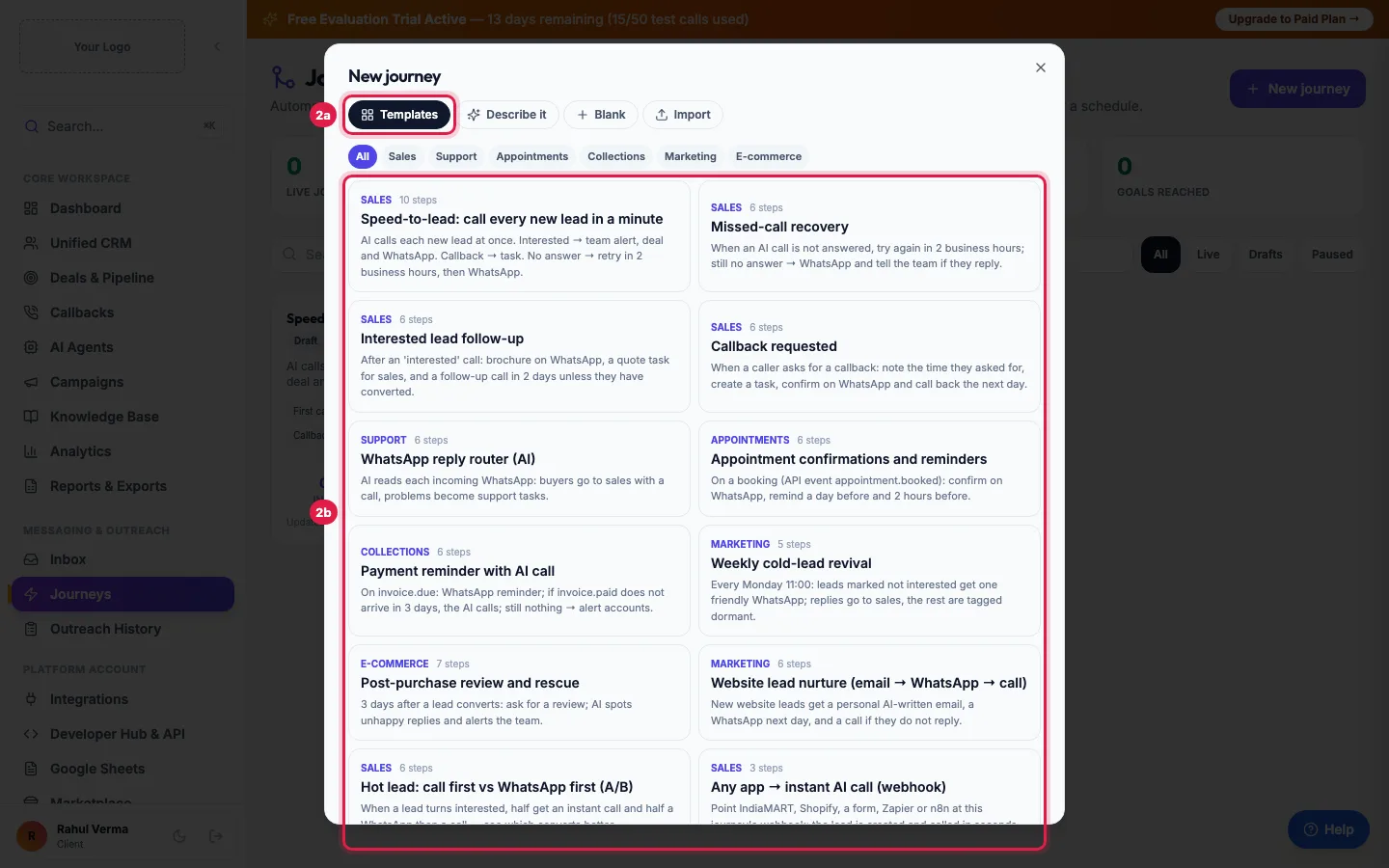
तैयार template चुनें, जैसे Speed-to-lead: call every new lead in a minute, Missed-call recovery या Payment reminder with AI call। यह draft के रूप में खुलता है जिसे आप बदल सकते हैं।
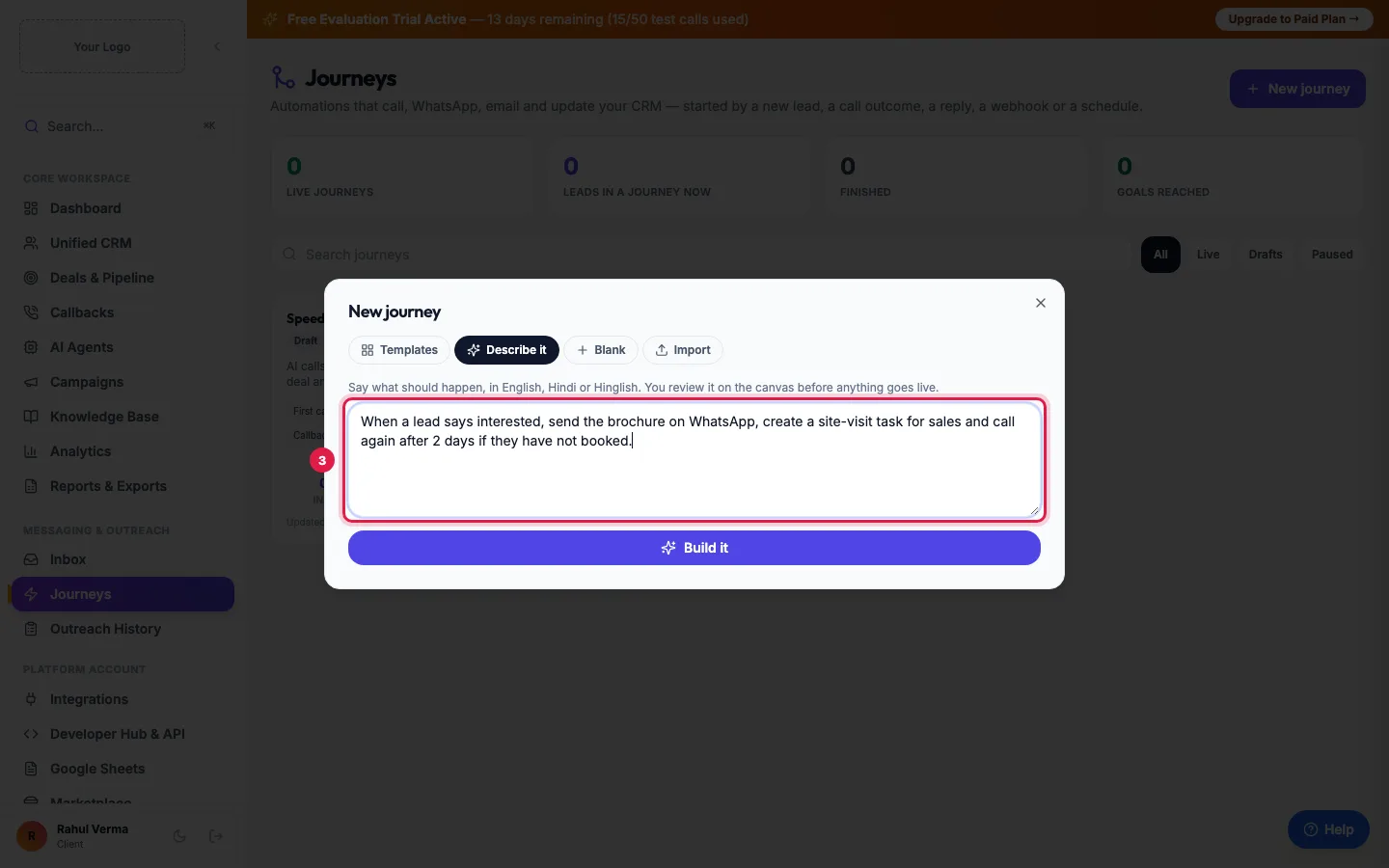
या Describe it पर क्लिक करें, अंग्रेज़ी, हिंदी या Hinglish में लिखें कि क्या होना चाहिए, और Build it पर क्लिक करें। Live होने से पहले आप इसे canvas पर जांचते हैं। आप Blank से भी शुरू कर सकते हैं, या journey file Import कर सकते हैं।
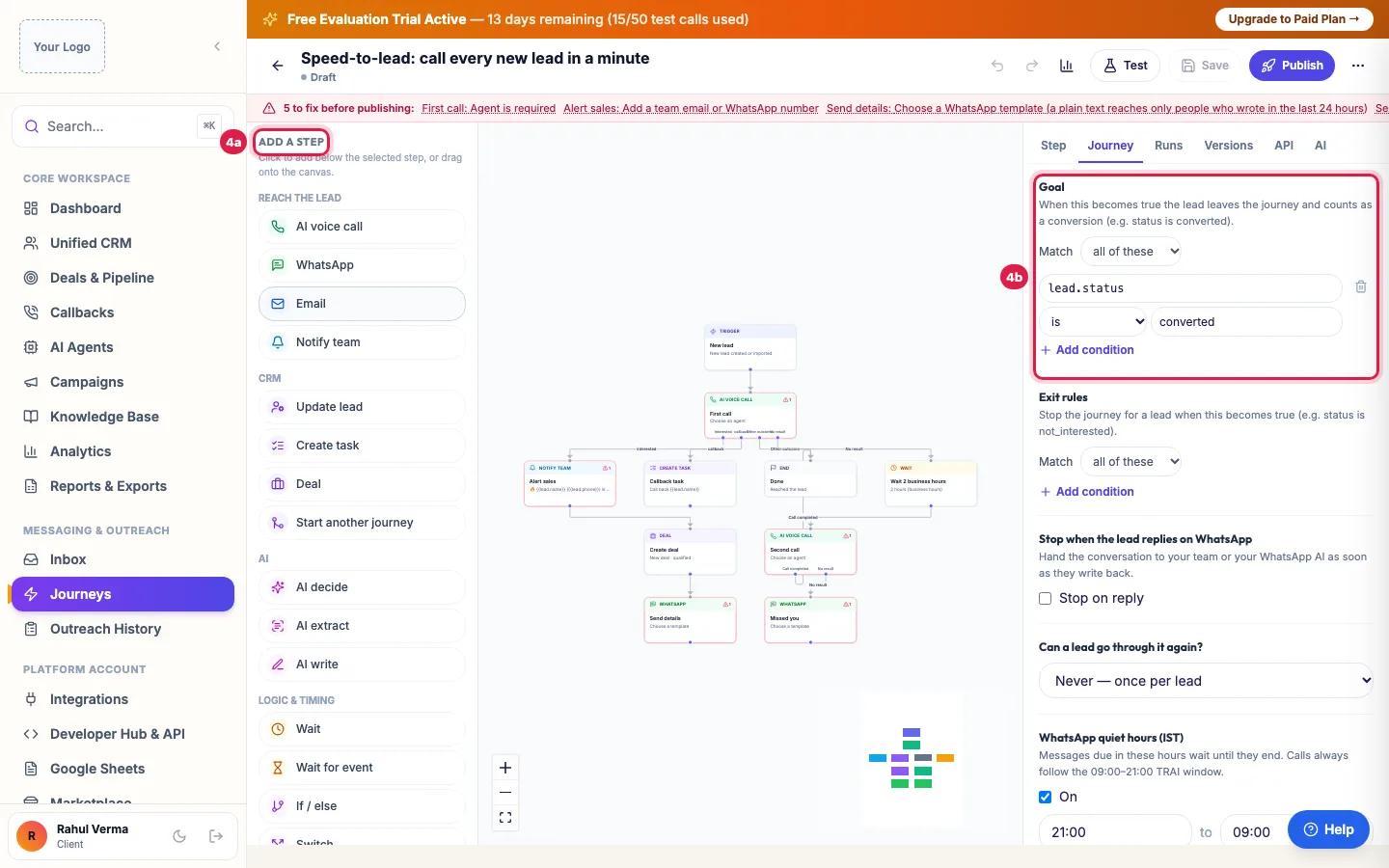
Builder में बाईं ओर से steps जोड़ें: AI voice call, WhatsApp, Email, Notify team, Update lead, Create task, Deal, AI steps, Wait, If / else और भी। दाईं ओर journey का goal (जैसे lead status converted हो), exit rules, WhatsApp quiet hours, और क्या lead इसमें दोबारा जा सकता है, सेट करें।
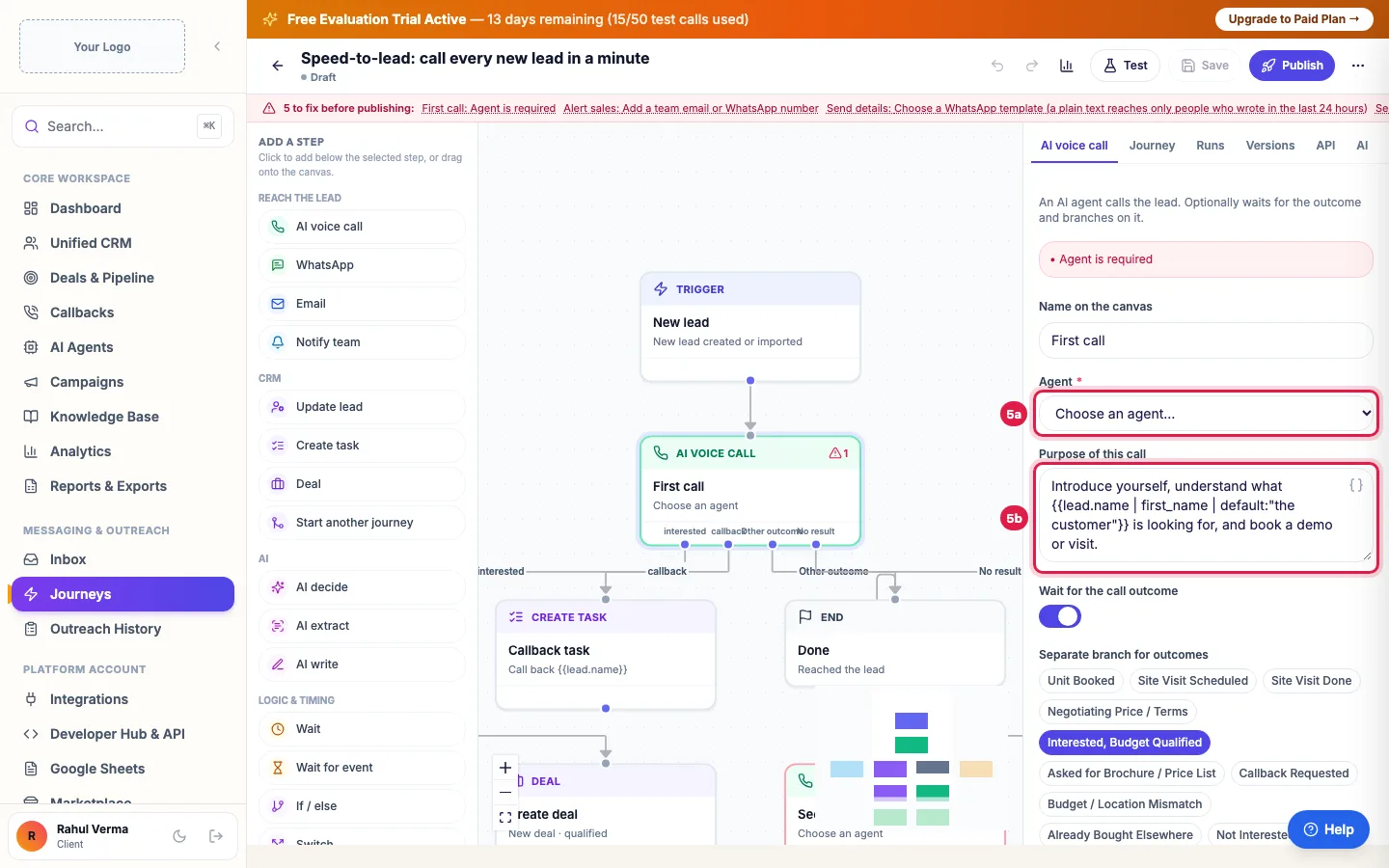
किसी step पर क्लिक करके उसे सेट करें। AI voice call में agent चुनें और कॉल का मकसद लिखें। Wait for the call outcome चालू रखें ताकि हर नतीजा (interested, callback, no answer) अपने रास्ते पर जाए।
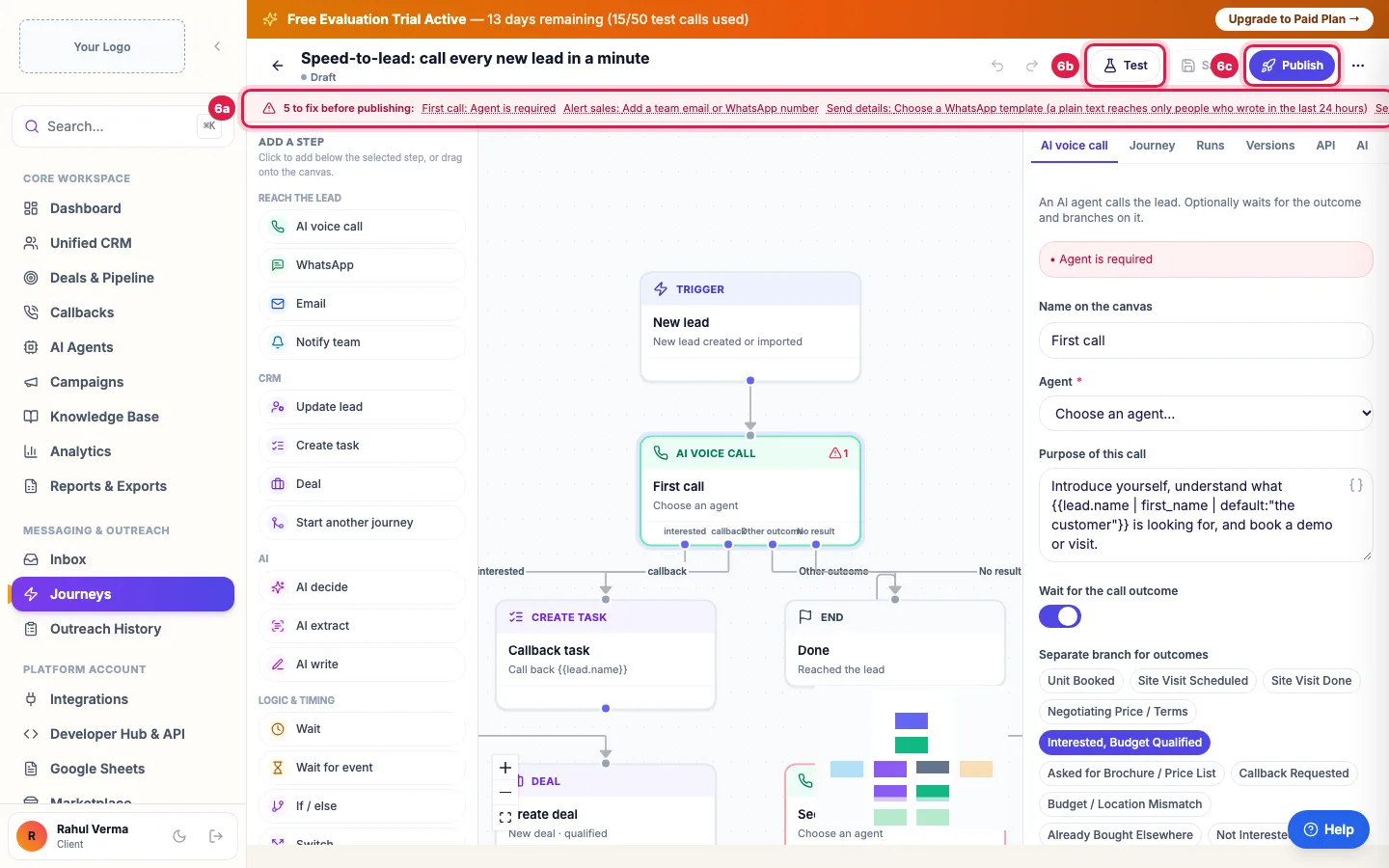
लाल पट्टी बताती है कि live होने से पहले क्या बाकी है। हर चीज़ ठीक करें, sample lead पर आज़माने के लिए Test पर क्लिक करें, फिर Publish करें। नए leads trigger से जुड़ते हैं; पहले से मौजूद leads जोड़ने के लिए ⋯ menu में Enroll leads इस्तेमाल करें।
Tips और पूरी जानकारी: How to Automate Lead Follow-ups with AI Calls, WhatsApp and Email (English)
संबंधित गाइड
- Voice campaign बनाएं और चलाएं
- How to Create WhatsApp Templates and Get Them Approved (English)
- Callbacks: ग्राहक ने जो कॉल मांगी
- Lead groups और automatic calls
- Bulk Actions: Group, Journey, WhatsApp, Email or Delete Many Leads (English)
- Track Deals from AI Calls in a Sales Pipeline (English)
- Send CRM Emails From Your Own Address: Zoho, Gmail or SMTP (English)