Reports और exports
संक्षेप में: Reports & Exports से आपको call data तीन तरह मिलता है: हर पिछले दिन की तैयार फाइल, जो हर रात बनती है; किसी भी तारीखों का Excel या CSV export, filters के साथ; और अपने-आप आने वाली reports, जैसे WhatsApp daily summary।
BookAICall का step-by-step गाइड। BookAICall एक AI voice agent platform है जो businesses के लिए हिंदी, English, Hinglish और दूसरी भारतीय भाषाओं में phone calls करता और उठाता है। Updated .
स्टेप बाय स्टेप
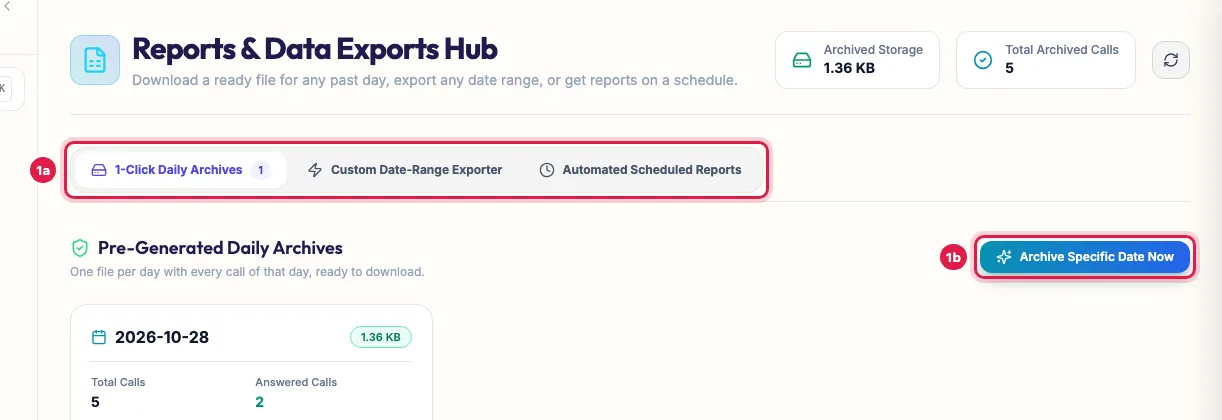
Reports & Exports खोलें। 1-Click Daily Archives में हर पिछले दिन की एक फाइल है जिसमें उस दिन की सारी calls हैं; यह हर रात 7 दिन से पुराने दिनों के लिए बनती है। दिन चुनकर Download Excel (.xlsx) या Download CSV (.csv) — Opens in Excel पर क्लिक करें, या किसी तारीख की फाइल खुद बनाने के लिए Archive Specific Date Now पर क्लिक करें।
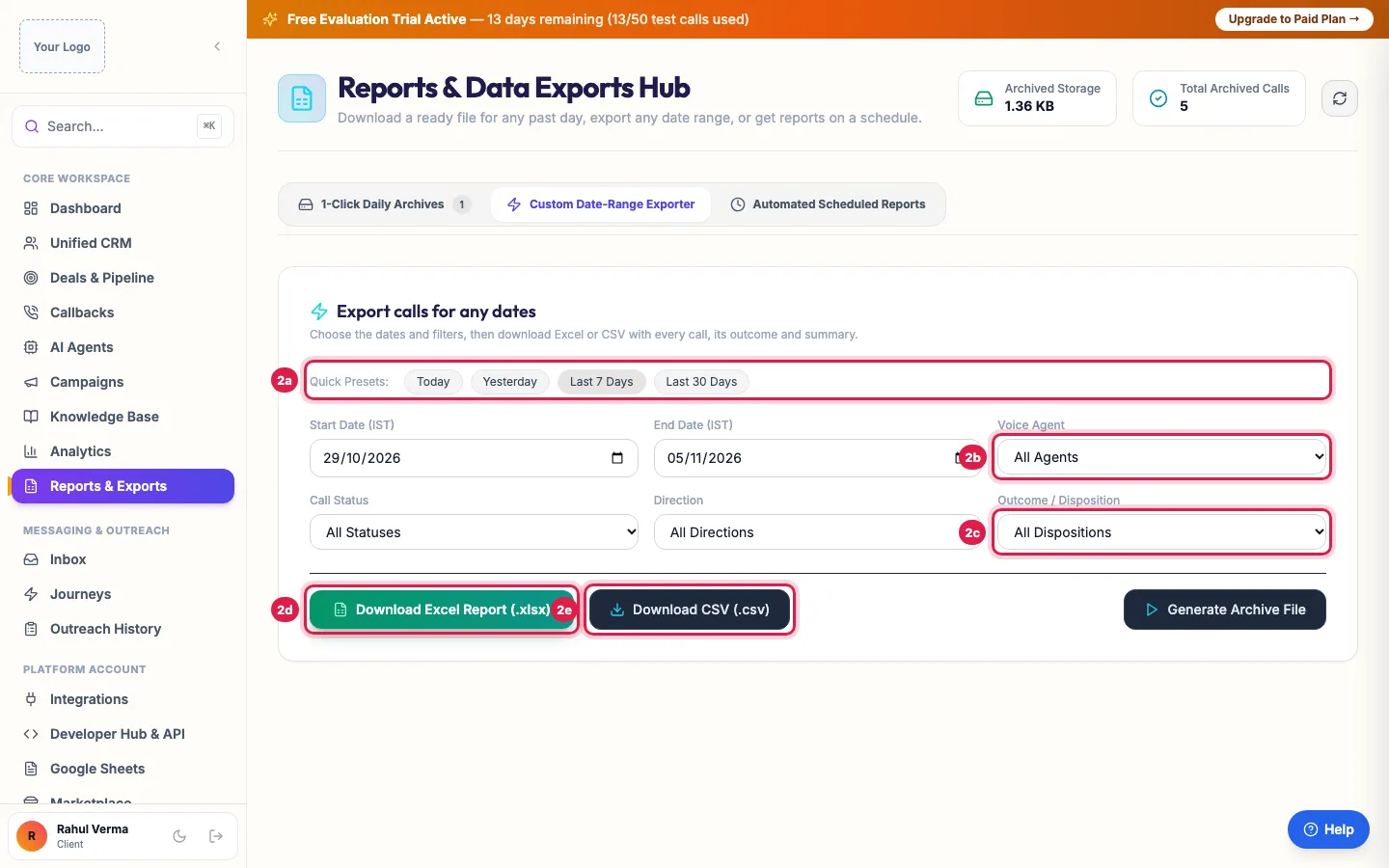
किसी भी तारीखों का export के लिए Custom Date-Range Exporter खोलें। Quick Preset (Today, Yesterday, Last 7 Days, Last 30 Days) या Start Date (IST) और End Date (IST) चुनें, Voice Agent, Call Status, Direction और Outcome / Disposition से filter करें, फिर Download Excel Report (.xlsx) या Download CSV (.csv) पर क्लिक करें।
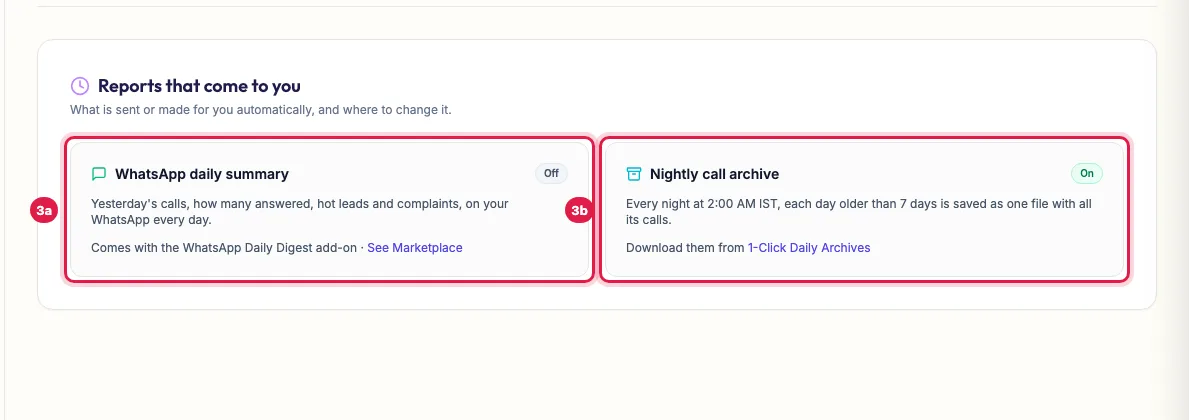
Automated Scheduled Reports दिखाता है कि आपके पास अपने-आप क्या आता है: दिन भर की calls की WhatsApp daily summary (WhatsApp Daily Digest add-on के साथ; नंबर और समय Settings → Notifications में सेट करें) और रात का call archive।
Tips और पूरी जानकारी: How to Download AI Call Reports in Excel or CSV (English)