How to Read AI Calling Campaign Results and Export Them
In short: Open the campaign: the top shows how many leads were dialled and answered, the counters show live calls, callbacks and leads not reached, Campaign Outcomes shows how each conversation ended, and Leads List has every lead's call with its recording, summary and transcript. Export it all with Export All Outcomes CSV.
A step-by-step guide for BookAICall, an AI voice agent platform that makes and answers phone calls for businesses in Hindi, English, Hinglish and other Indian languages. Updated .
Steps
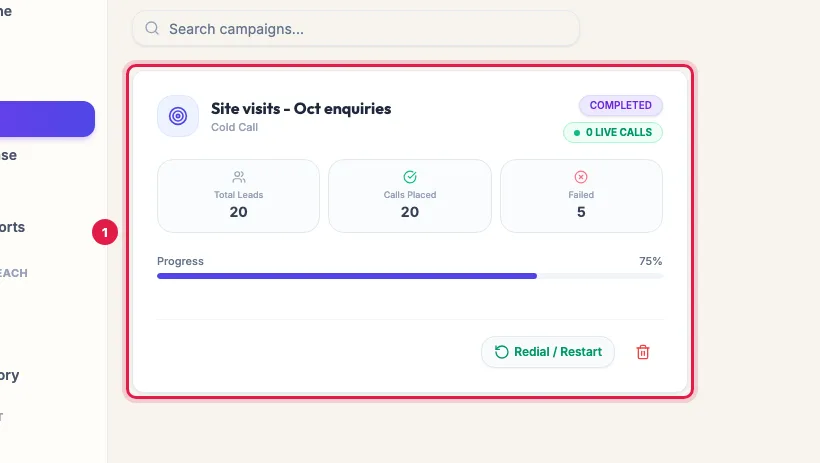
Open Campaigns. Each card shows Total Leads, Calls Placed, Failed and the Progress bar; click the campaign to open it.
Click a campaign to open its results The top shows the type, the Voice AI Agent, its Concurrent Channels and the status, and Overall Dialing Progress: leads dialled out of the total, and how many answered.
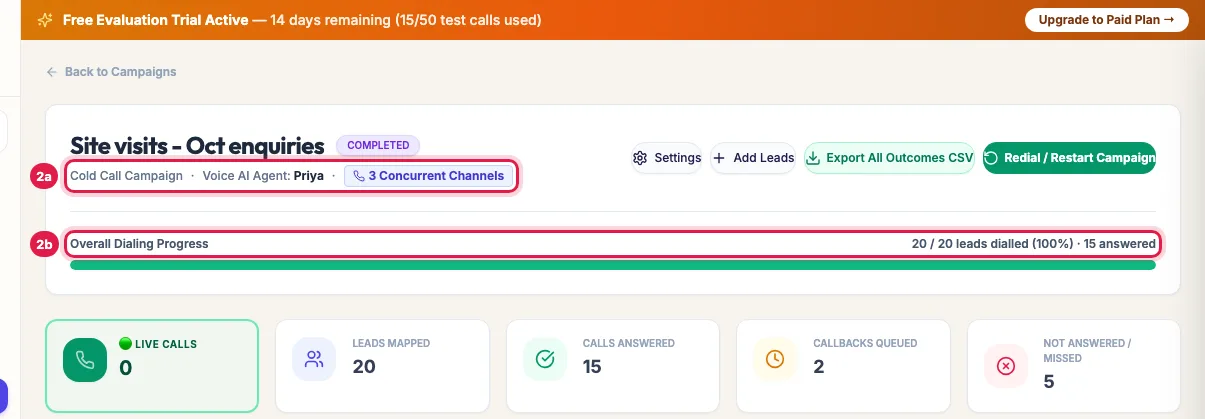
The agent, channels and status, and how many leads were dialled and answered The counters show Live Calls, Leads Mapped (leads in the campaign), Calls Answered, Callbacks Queued and Not Answered / Missed.
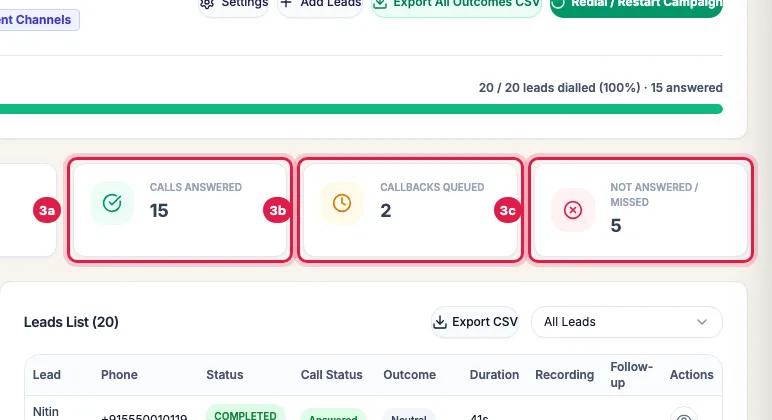
Answered calls, callbacks booked, and leads not reached Campaign Outcomes shows how many leads ended with each result, in your industry's words (for example Site Visit Scheduled or Asked for Brochure / Price List).
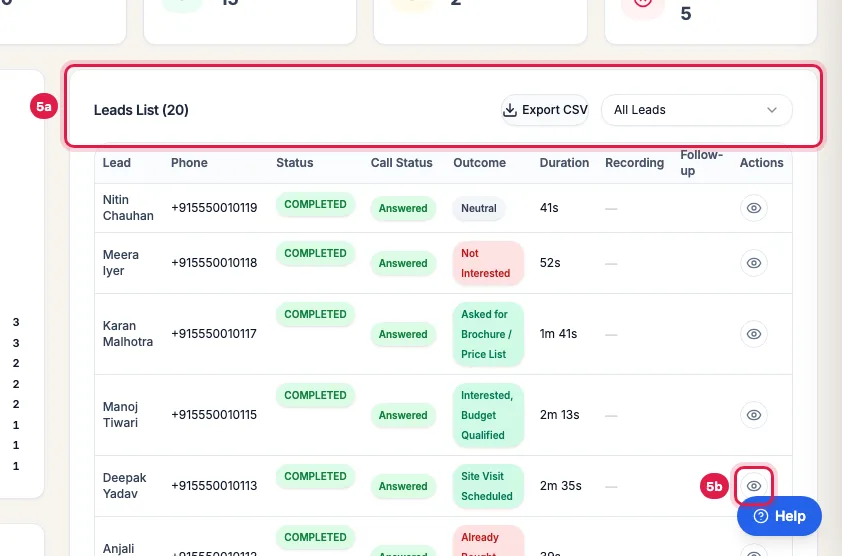
Campaign Outcomes: how many leads ended with each result Leads List shows every lead's Status, Call Status, Outcome, Duration and recording. Filter it with All Leads, download it with Export CSV, and click the eye to open a call.
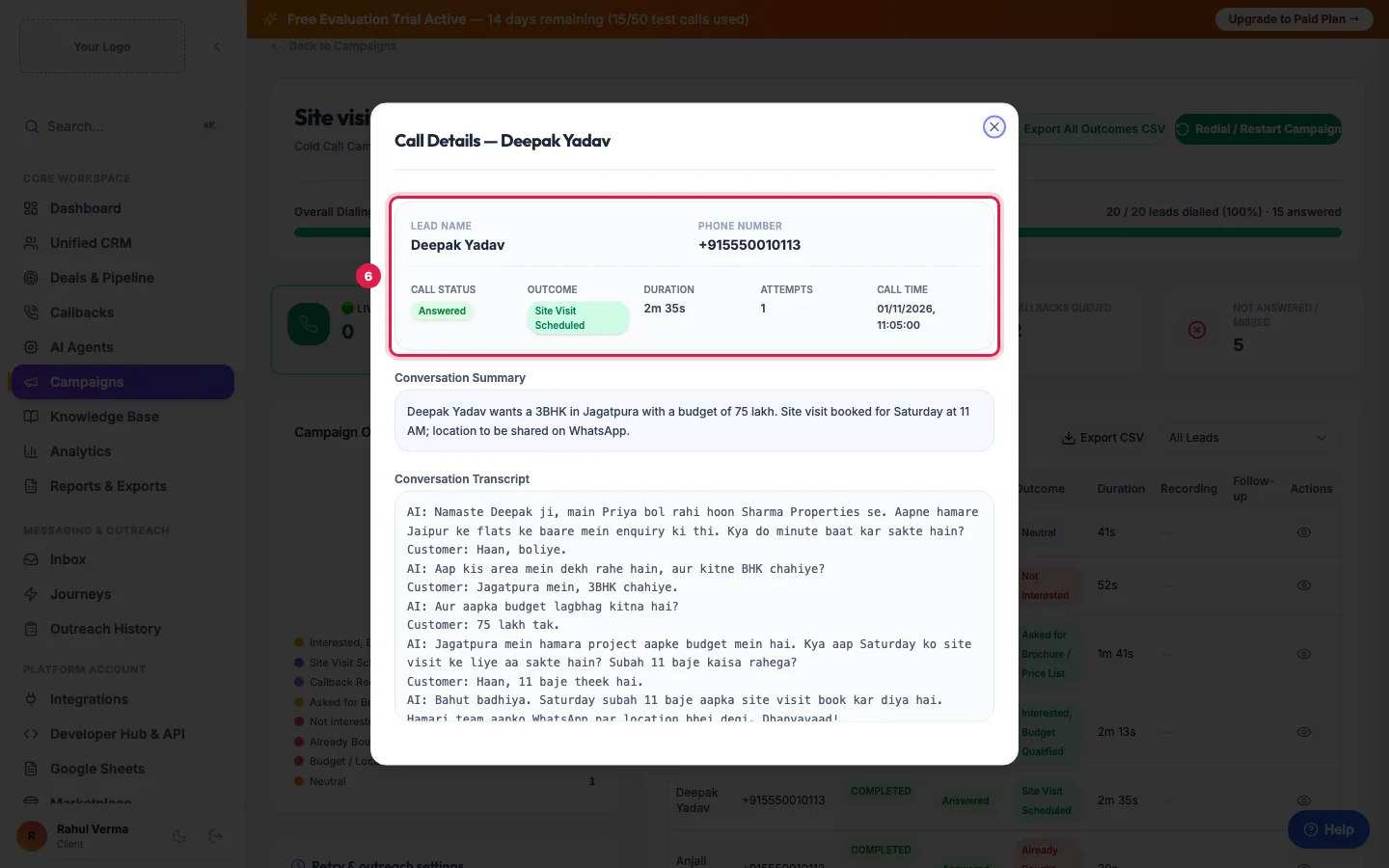
Leads List: each lead's status, outcome and call length; the eye opens the call The Call Details window shows the call status, outcome, duration, attempts and time, the Call Recording, the Conversation Summary and the full Conversation Transcript.
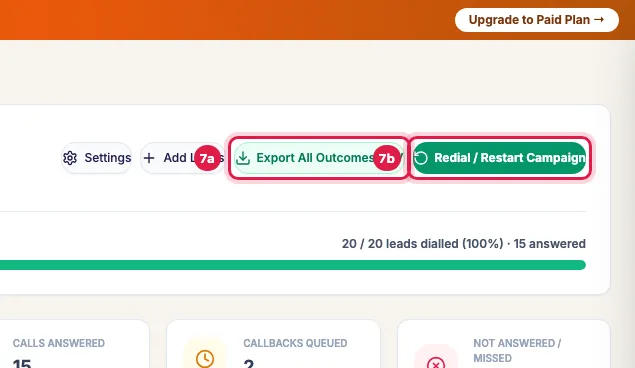
One lead's call: outcome, summary and transcript Export All Outcomes CSV downloads every lead with its result; Redial / Restart Campaign calls again the people not reached or who asked for a callback.
Export the results, or call again those not reached
What each number means
- Calls Placed (on the card) and leads dialled (on the page): leads that have had at least one call, answered or not.
- Calls Answered: calls the customer picked up and spoke on. Leads Mapped: everyone in the campaign, including those still waiting.
- Callbacks Queued: leads whose call ended in a callback or follow-up. Their callback also appears in Callbacks.
- Not Answered / Missed: leads who did not pick up or went to voicemail. They are tried again by the retry rules first.
- Failed (on the card): leads that could not be reached at all: every attempt unanswered, an invalid number, or a call that could not start.
- Live Calls: calls going on right now. In Leads List a live call has Listen, Whisper and Barge buttons for a supervisor.
The two downloads
- Export CSV (above Leads List): one status or outcome at a time, for example only Interested or only Not Answered, or Export current view for the filter you have open.
- Export All Outcomes CSV (top of the page): every lead with Lead Name, Phone, Status, Attempt Count, Outcome / Disposition, Call Duration (sec), AI Summary, Transcript, Recording URL and Updated Date (IST). It opens in Excel or Google Sheets.
What to look at first
- Answer rate (answered out of dialled): if it is low, try other hours; the hourly chart in Analytics shows when your customers pick up.
- Average call length: many calls under 20 seconds mean the opening is not working. Read a few transcripts and change the greeting or the campaign's Call Script.
- Outcomes: open a few Not Interested calls and listen. The reason people give is often the next line to add to your script.
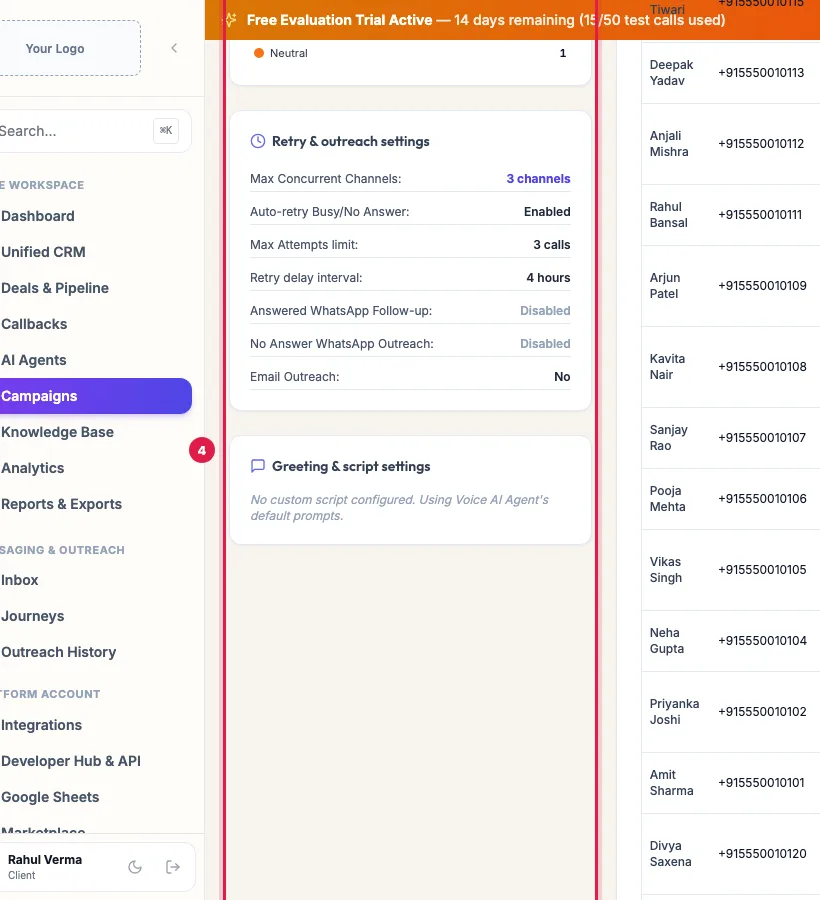
- Retry & outreach settings (left side): check the retries and follow-up messages are what you meant.
Example: A campaign of 20 site-visit enquiries
Sharma Properties' campaign dialled all 20 leads; 15 answered. Campaign Outcomes shows 3 Site Visit Scheduled, 3 Interested - Within Budget, 2 Asked for Brochure / Price List and 2 callbacks; 5 did not answer. The manager filters Leads List to Site Visit Scheduled, reads the three transcripts and calls each buyer to confirm, sends the brochure to the two who asked, and downloads Export All Outcomes CSV for the weekly sales meeting.
Tips
- The page refreshes every few seconds while the campaign runs: leave it open to watch calls come in.
- The outcome comes from what was said on the call. If one looks wrong, read the transcript and change the lead's stage in Unified CRM.
- Recordings stay as long as your data retention setting allows (Settings).
Frequently asked questions
Campaign ka result kaise dekhe? Where do I see who answered?
Open Campaigns and click the campaign. Calls Answered shows the count, and Leads List with the Call Status column shows each person; filter All Leads to Completed or to an outcome.
Why do Calls Placed and Calls Answered differ?
Calls Placed counts every lead that was called; Calls Answered only those who picked up and spoke.
Why does a lead have no recording?
Calls that were not answered have no recording or transcript. For answered calls the recording appears a minute or two after the call ends.
How do I download the results in Excel?
Click Export All Outcomes CSV at the top of the campaign for everything, or Export CSV above Leads List for one status or outcome. Both files open in Excel.
Why is the progress bar not at 100 when the campaign is Completed?
The progress counts leads dialled. Leads on your DND list are skipped without a call, so they are never dialled and the bar can stop short of the end.
Can I see the call while it is happening?
Yes: Live Calls shows how many are on, and in Leads List a live call has Listen, Whisper and Barge. AI Agents → Live Monitor shows every live call of every agent.
Questions this guide answers
- How do I measure an AI calling campaign?
- Where do I see the outcome of every AI call?
- How do I export AI call results to Excel?
Related guides
- How to Redial Unanswered Leads in an AI Calling Campaign: Open the campaign and click Redial / Restart Campaign to call again, in the same campaign, the people who did not answer, asked for a…
- AI Calling Campaign Statuses Explained: Paused, Cooldown, Failed: A campaign is Draft, Scheduled, Running, Paused, Completed or Cancelled; a paused or idle campaign says why on its page. Inside it, each…
- Read a Lead's AI Score, Call Summary and Transcript: A lead's page shows who the person is and whether they agreed to be contacted, the AI score with its reason, your industry's details…
- How to Listen to AI Call Recordings and Read Transcripts: Every answered AI call is recorded and transcribed. In Unified CRM → Voice Calls, click Play Recording on any call to listen; click…
- AI Calling Analytics: Connect Rate, Conversions, Cost per Lead, ROI: Analytics shows how your AI calling performs: total calls, connect rate, opportunity rate and talk time, the funnel from dial to won, what…
- How to Download AI Call Reports in Excel or CSV: Reports & Exports gives you your call data three ways: a ready file for each past day, made every night; an export of any dates with…