Check Whether Your Emails, WhatsApp Messages and AI Calls Reached Leads
In short: Outreach History lists the latest emails, WhatsApp messages and AI calls sent to your leads, newest first, with whether each one went through: the cards count Total Sent, Delivered, In progress and Not reached, and you can filter by channel or search a name.
A step-by-step guide for BookAICall, an AI voice agent platform that makes and answers phone calls for businesses in Hindi, English, Hinglish and other Indian languages. Updated .
Steps
Open Outreach History. The cards count what was sent: Total Sent, Delivered (with how much reached the lead), In progress and Not reached.
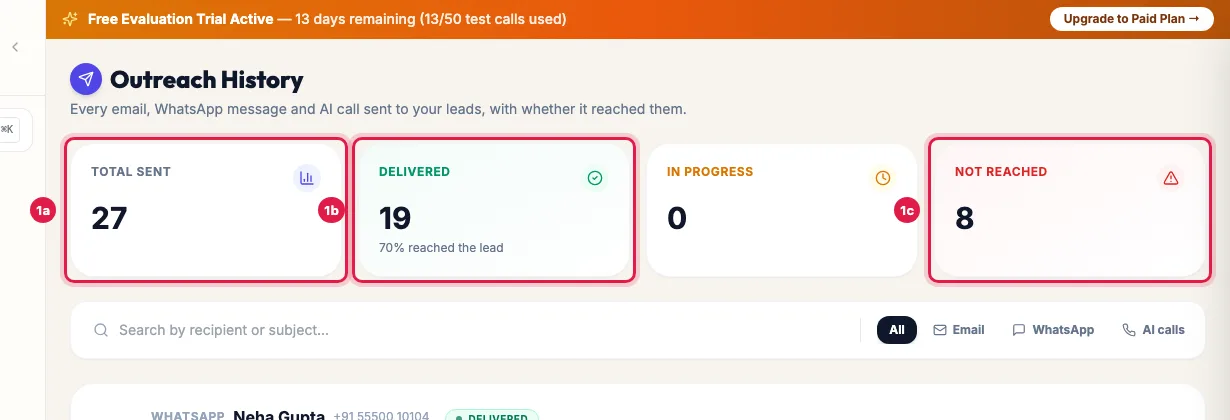
Outreach History: how many messages and calls were sent, delivered or did not reach Filter by All, Email, WhatsApp or AI calls, or search by recipient or subject.
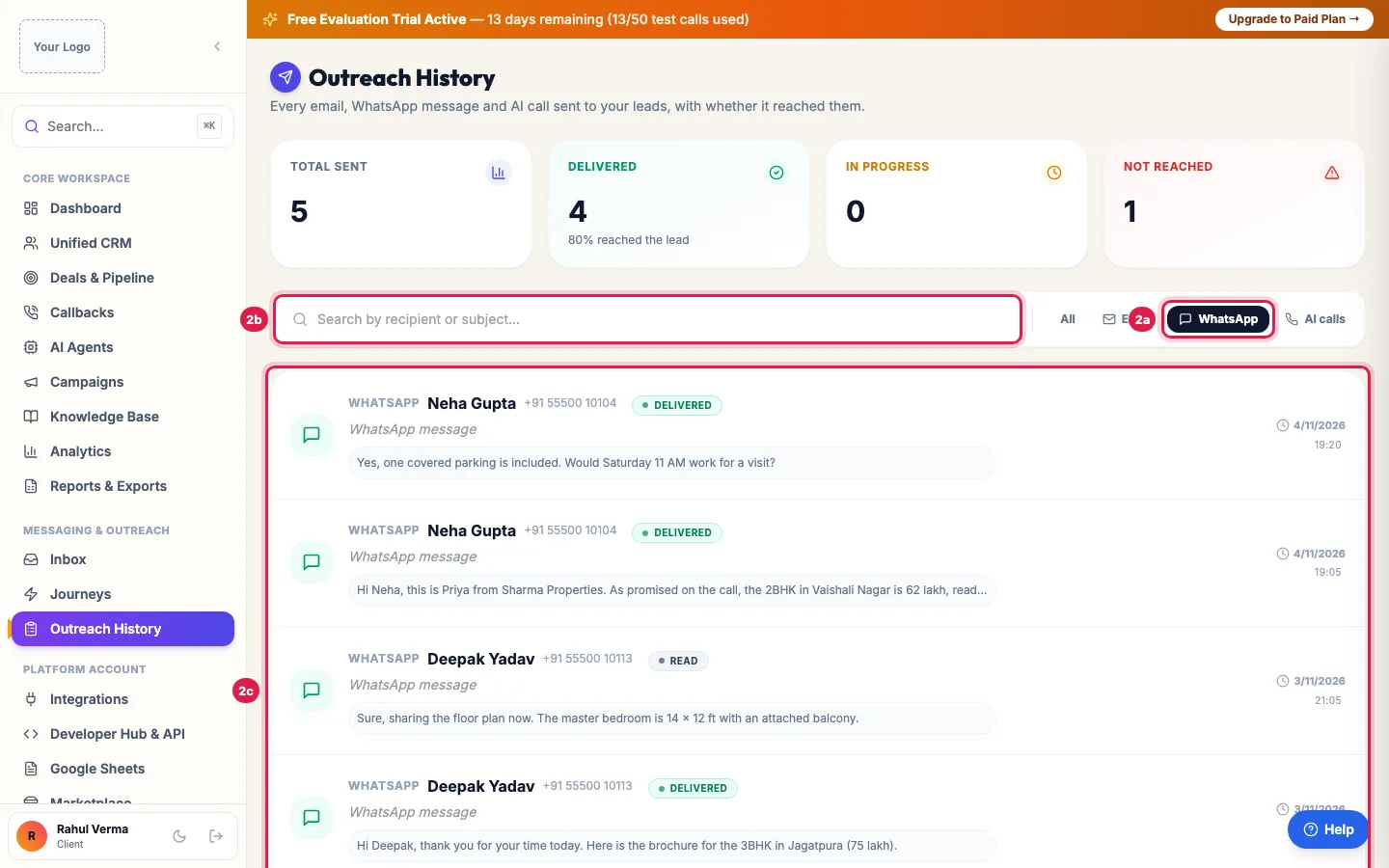
Filter by channel or search a name; each row shows the message and whether it was delivered Each row shows the channel, the lead's name and number or address, the status, the subject (or AI call with its length), the first lines of the message or the call's summary, and the date and time.
What each count means
- Delivered: an email or WhatsApp message that was sent without an error, or an AI call that connected.
- In progress: a message queued, or a call still ringing.
- Not reached: a message that failed, bounced or was blocked, or a call that was not answered, was busy or failed.
What appears here
- WhatsApp messages and emails sent to leads one by one: Inbox replies, follow-ups after calls, journey messages, and what your AI agent sends during calls.
- Every outbound AI call, from campaigns, callbacks and Call AI.
- The latest 500 items. Bulk campaigns have their own reports: a WhatsApp campaign's Report → and the Email Campaigns page.
Example: Did the brochure reach her?
A buyer tells Sharma Properties she never got the brochure. The manager opens Outreach History, clicks WhatsApp and searches her name: the brochure message from Priya's call shows failed. Her number is not on WhatsApp, so the manager sends the brochure by email instead and sees it as Delivered a minute later.
Tips
- A WhatsApp message that failed often means the number is not on WhatsApp or the template was not approved.
- Replies from leads are in the Inbox.
Frequently asked questions
Message gaya ya nahi, kaise check kare?
Open Outreach History, filter by WhatsApp or Email and search the lead's name: the status shows whether it was sent, is in progress or failed.
Does Delivered mean the customer read it?
No. It means it was sent without an error. For WhatsApp, a reply in Inbox is the sure sign it was read.
Why is my WhatsApp campaign not listed here?
Bulk campaigns have their own report: WhatsApp Suite → WhatsApp Campaigns → Report → on the campaign's card.
Why do AI calls show here?
So you can see every touch with a lead in one place. A connected call counts as Delivered; an unanswered one as Not reached.
Questions this guide answers
- How do I see if my WhatsApp messages were delivered?
- How do I track outreach to leads?
Related guides
- How to Send a Bulk WhatsApp Campaign to Your Leads: WhatsApp Suite → WhatsApp Campaigns → New Campaign: name it, pick an approved template and the leads (a group, picked leads, pasted…
- Email Campaigns That Trigger an AI Call When a Lead Clicks: Email Campaigns → Create Campaign takes four steps: details, the email, the recipients, and what your AI agent does when someone opens or…
- Reply to Leads' WhatsApp Messages from One Inbox: Inbox shows every WhatsApp conversation in which a lead wrote to you, newest first, with a count of messages since your last reply. Click…
- How to Listen to AI Call Recordings and Read Transcripts: Every answered AI call is recorded and transcribed. In Unified CRM → Voice Calls, click Play Recording on any call to listen; click…