Knowledge Base से agent को सिखाएं
संक्षेप में: Knowledge Base में PDF, DOCX, TXT, CSV या JSON फाइल (10MB तक) upload करें या text paste करें, फिर agent के panel में Linked Knowledge Base Documents में उस document को tick करें। कॉल के दौरान agent अपने से जुड़े documents में खोजकर जवाब देता है, अंदाज़ा नहीं लगाता।
BookAICall का step-by-step गाइड। BookAICall एक AI voice agent platform है जो businesses के लिए हिंदी, English, Hinglish और दूसरी भारतीय भाषाओं में phone calls करता और उठाता है। Updated .
स्टेप बाय स्टेप
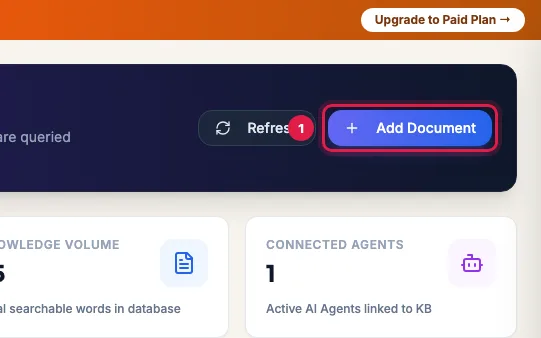
Knowledge Base खोलें और Add Document पर क्लिक करें।
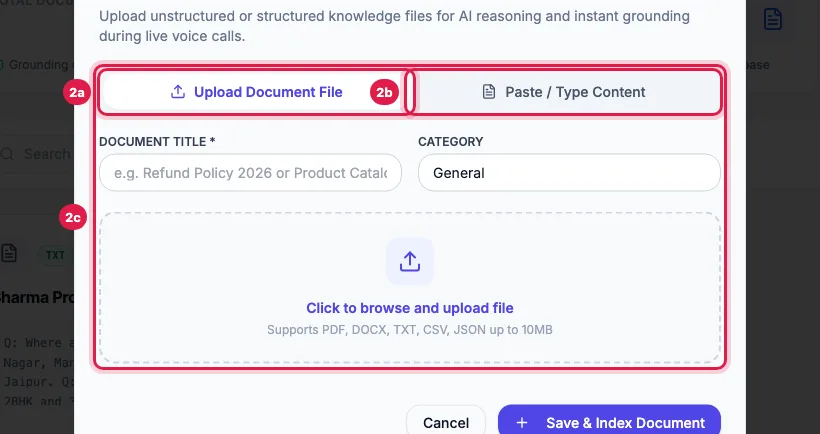
10MB तक की PDF, DOCX, TXT, CSV या JSON फाइल के लिए Upload Document File चुनें, या Paste / Type Content।
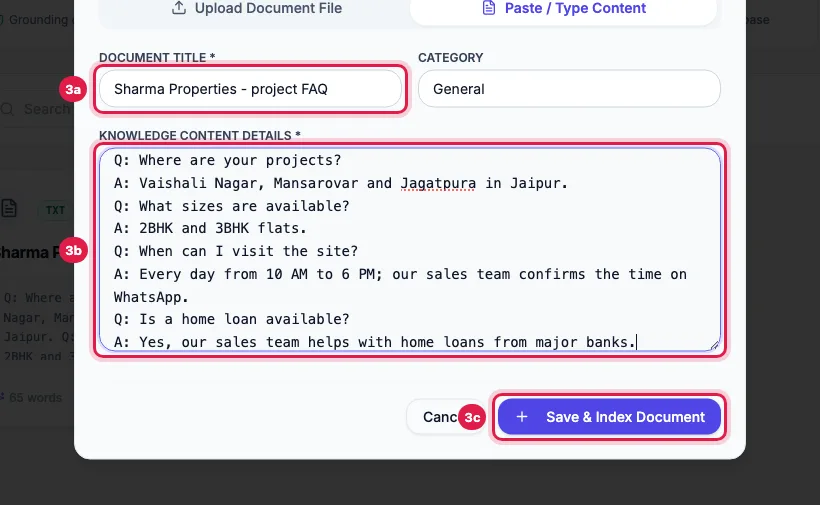
Document Title (और चाहें तो Category) भरें, content paste या upload करें और Save & Index Document पर क्लिक करें।
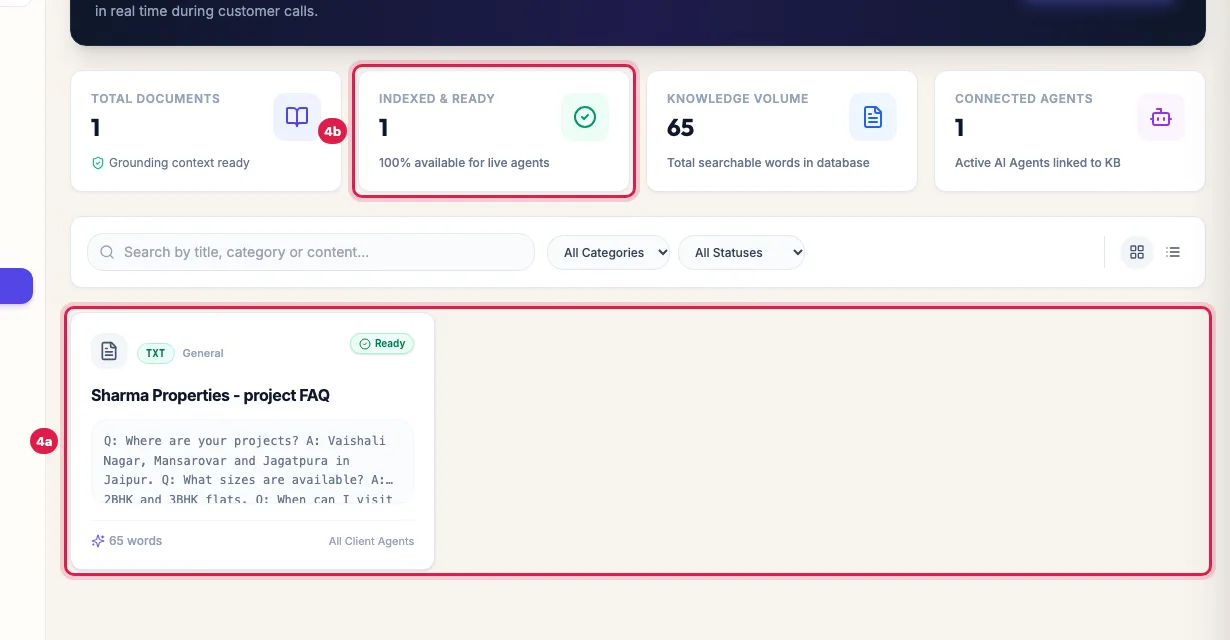
Document अपने status के साथ दिखेगा। Ready का मतलब उसका text पढ़ लिया गया है; PDF या Word फाइल पहले लगभग दो मिनट Processing दिखाती है; Failed का मतलब उसमें कोई text नहीं मिला। Card पर यह भी दिखता है कि कितने agents इसे इस्तेमाल करते हैं।
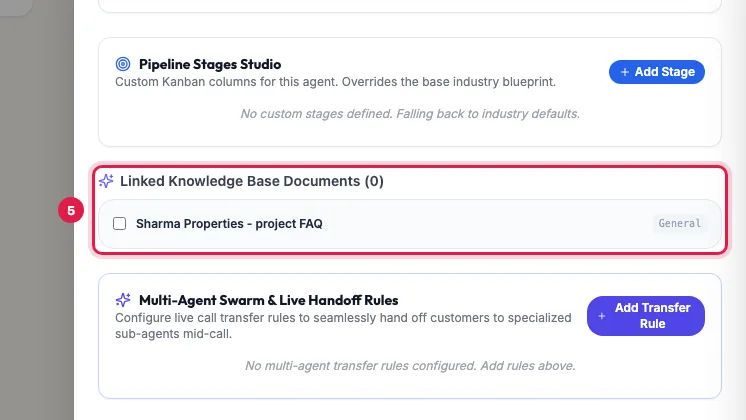
Document को agent से जोड़ें: agent को Edit से खोलें, Linked Knowledge Base Documents में उसे tick करें और Save Changes पर क्लिक करें। फिर agent को कॉल करके वह सवाल पूछें जिसका जवाब document में है।
Tips और पूरी जानकारी: How to Train an AI Voice Agent on Your Business Documents (English)