How AI Call Charges Work on Pay As You Go
In short: On pay as you go, each answered call is charged from your wallet by its length, per started minute, at your rate; calls of 15 seconds or less, failed calls and calls where the agent never spoke are free. Every charge is listed in Wallet → Call Deduction Ledger with the number, agent, duration and balance after.
A step-by-step guide for BookAICall, an AI voice agent platform that makes and answers phone calls for businesses in Hindi, English, Hinglish and other Indian languages. Updated .
Steps
Open Wallet and click the Call Deduction Ledger tab. Each row shows Date & Time (IST), Customer Number, Customer / Lead, Agent / Campaign, Duration, Status / Outcome, Amount Charged and Balance After.
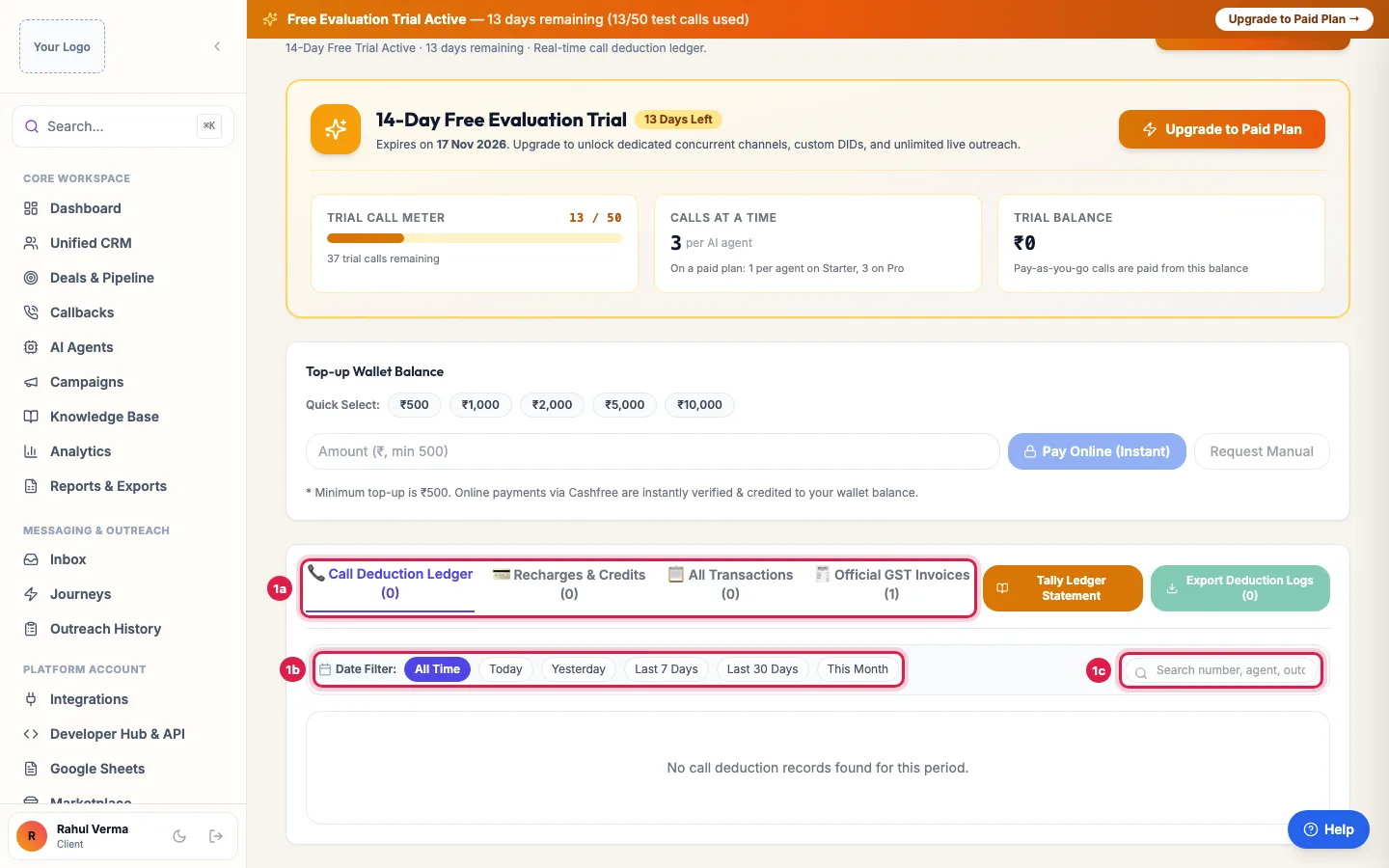
Wallet: Call Deduction Ledger lists every charge; filter by date or search a number Pick a date range (Today, Yesterday, Last 7 Days, Last 30 Days, This Month or All Time), or search a number, agent or outcome, to find the charge you are asking about.
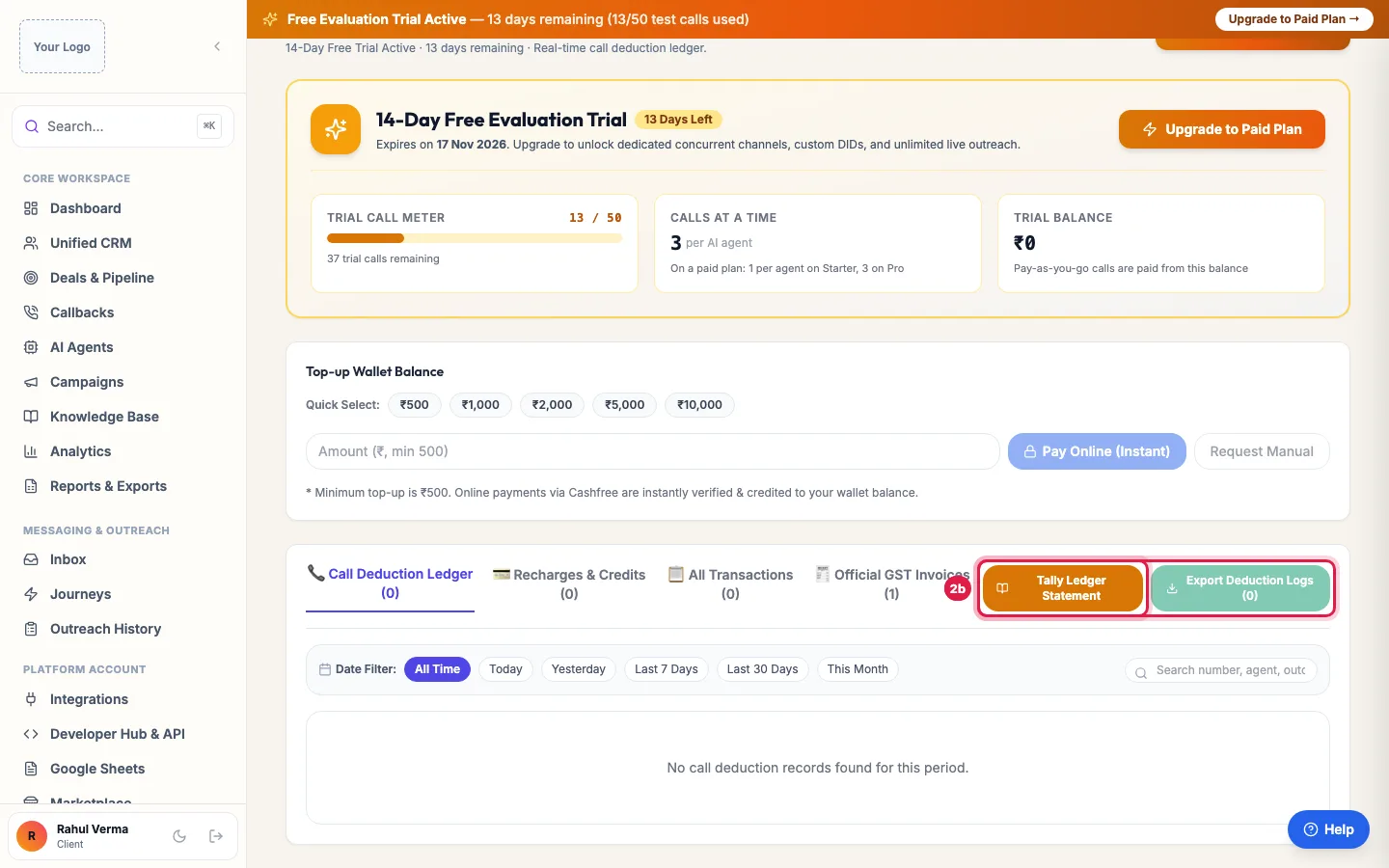
Download every deduction, or open the ledger statement for your accountant Compare the Duration with the charge: every started minute counts, so 1 minute 10 seconds is 2 minutes at your Calling Rate.
Click Export Deduction Logs to download the charges, or Tally Ledger Statement for the full statement with recharges.
What is charged
- Answered calls longer than 15 seconds, per started minute, at your Calling Rate (Wallet → Telephony Terms & Settlement).
- Inbound calls answered by your agent are charged the same way as outbound ones.
- A call that is running when the balance runs out is allowed to finish, and the wallet is charged what it can cover.
What is not charged
- Calls of 15 seconds or less.
- Calls that were not answered, were busy or failed.
- Calls where the agent never spoke because of a fault on our side.
- Calls on a Starter or Pro plan: there is no per-minute charge on standard calls.
- The same call twice: each call is charged once.
Other deductions you may see
- Add-ons, extra AI agents and phone numbers bought or renewed from the wallet.
- Your plan's renewal, when it renews from the wallet.
- On pay as you go, a Monthly Minimum shortfall at the end of a 30-day cycle, if your account has a minimum and calls cost less than it.
- WhatsApp messages and international calls, from the Utility Wallet on a monthly plan.
- All Transactions on the Wallet page lists every one of these with its description.
Example: Checking a charge for a long call
The accountant of Ghar Ki Rasoi asks why one call cost more than the others. In Call Deduction Ledger she searches the customer's number: Duration 4:20, so 5 started minutes at the account's calling rate, and the Status / Outcome shows a long order-change conversation. The recording in Unified CRM confirms it, so nothing is wrong.
Tips
- If a charge looks wrong, raise a ticket with the date, time and number. Support checks it against your call logs and recordings.
- Short opening lines keep wrong-number calls under 15 seconds, and those are free.
Frequently asked questions
Paise kat gaye par call nahi hui?
Unanswered, busy and failed calls are not charged. Search the number in Call Deduction Ledger: if a charge appears for such a call, raise a ticket with the date and number.
How are AI calls charged per minute?
On pay as you go, by every started minute of an answered call longer than 15 seconds, at your Calling Rate.
Are calls under 15 seconds charged?
No.
Is there a charge per call on Starter or Pro?
No per-minute charge on standard calls. WhatsApp messages, international calls and extra number rent are paid from the Utility Wallet.
Is GST added to call charges?
No further GST: it was charged when the wallet was recharged. The calls appear on your monthly usage invoice.
Can I get a statement for my accountant?
Yes: Tally Ledger Statement on the Wallet page, and Export Deduction Logs for the call charges.
Questions this guide answers
- How are AI calls charged per minute?
- Why was money deducted from my wallet for calls?
- Are short or unanswered AI calls charged?
- Is there a per-minute charge on a monthly AI calling plan?
Related guides
- How to Get Support for Your AI Calling Agent: Open Support, click New Ticket, enter a Subject and the Details, choose the Priority, attach a screenshot if you have one, and click…
- AI Calling Agent Pricing Explained: Per Agent Plans or Pay as You Go: Monthly plans are priced per AI agent, with no per-minute charge: Starter gives each AI agent 1 channel and Pro gives each AI agent 3…
- How to Recharge Your AI Calling Wallet: Open Wallet, pick a Quick Select amount or type one, and click Pay Online (Instant). You pay the amount plus 18% GST, and the amount you…
- Download GST Invoices for Your AI Calling Plan: Billing lists every GST tax invoice and payment of your account, with what you have paid and what is pending; open an invoice to print it…