Account Settings: Company, GST, Data Retention and Alerts
In short: Settings holds your company details, industry and GSTIN, the GST rate and terms on invoices you send, how long call recordings are kept, where your own alerts go, your sign-in code, custom lead and catalog fields, and your own email and WhatsApp senders.
A step-by-step guide for BookAICall, an AI voice agent platform that makes and answers phone calls for businesses in Hindi, English, Hinglish and other Indian languages. Updated .
Steps
Open Settings. On Profile & Compliance, under Company Info, update the Company Name, Industry, Website and GSTIN; under Contact Details, the Primary Email, Primary Phone and Address. The Billing Model badge shows whether you are on a plan or pay as you go.
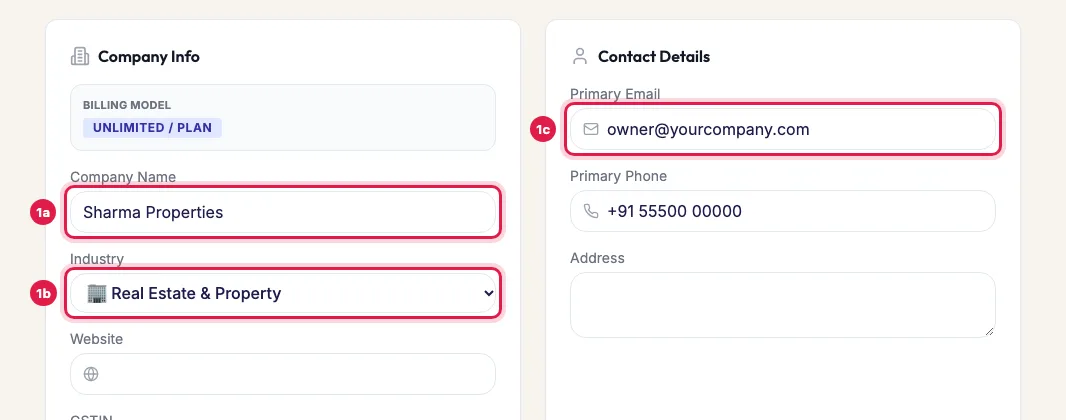
Settings: your company name, industry and contact details Under Invoice & Tax Profile, choose the Default GST Rate (%) and write Custom Invoice Terms & Conditions for the order invoices and bills you send your customers (pharmacies and distributors also see Drug License No. (DL No.)).
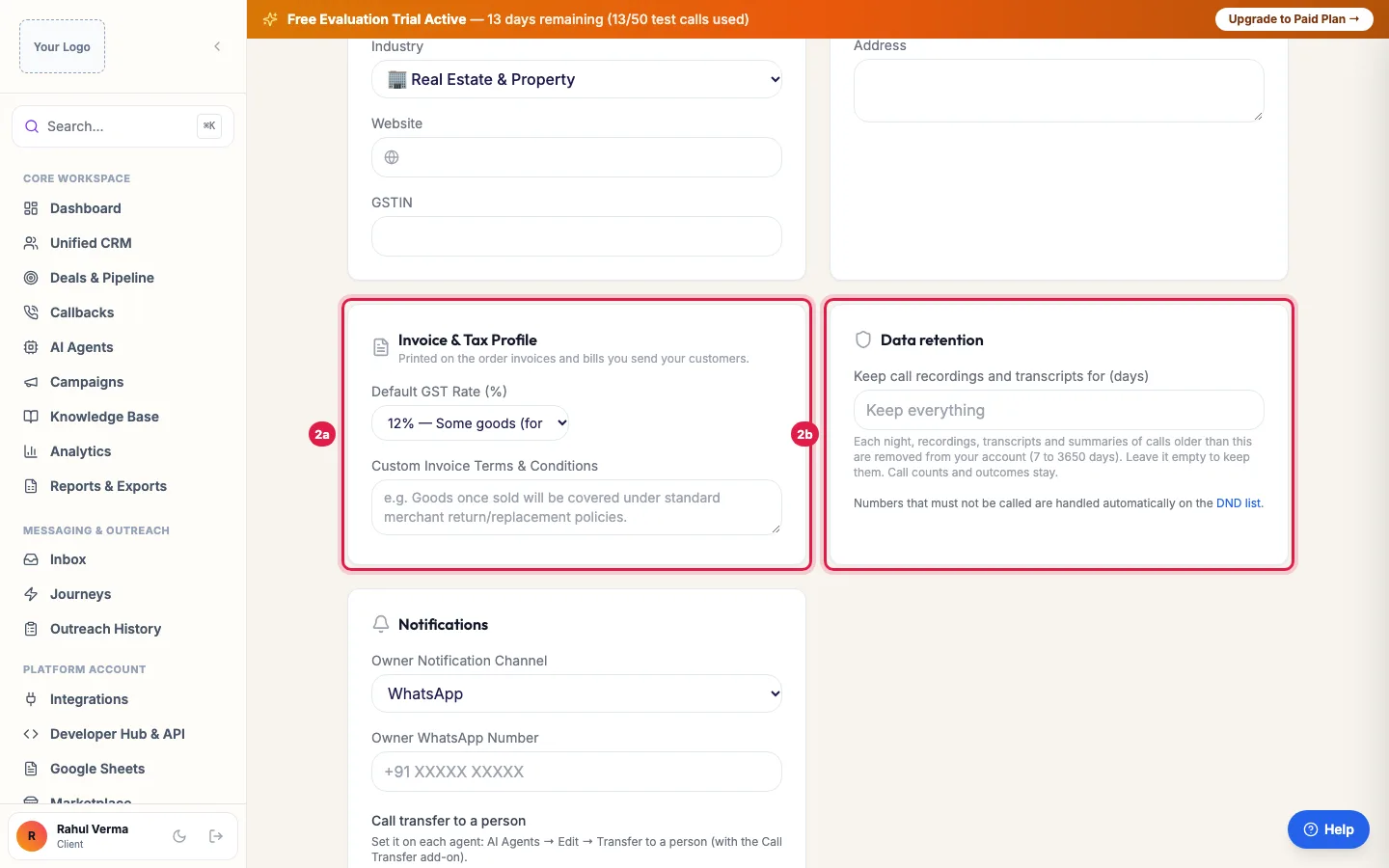
Invoice & Tax Profile for your own invoices, and how long call recordings are kept Under Data retention, set Keep call recordings and transcripts for (days), from 7 to 3650, or leave it empty to keep them.
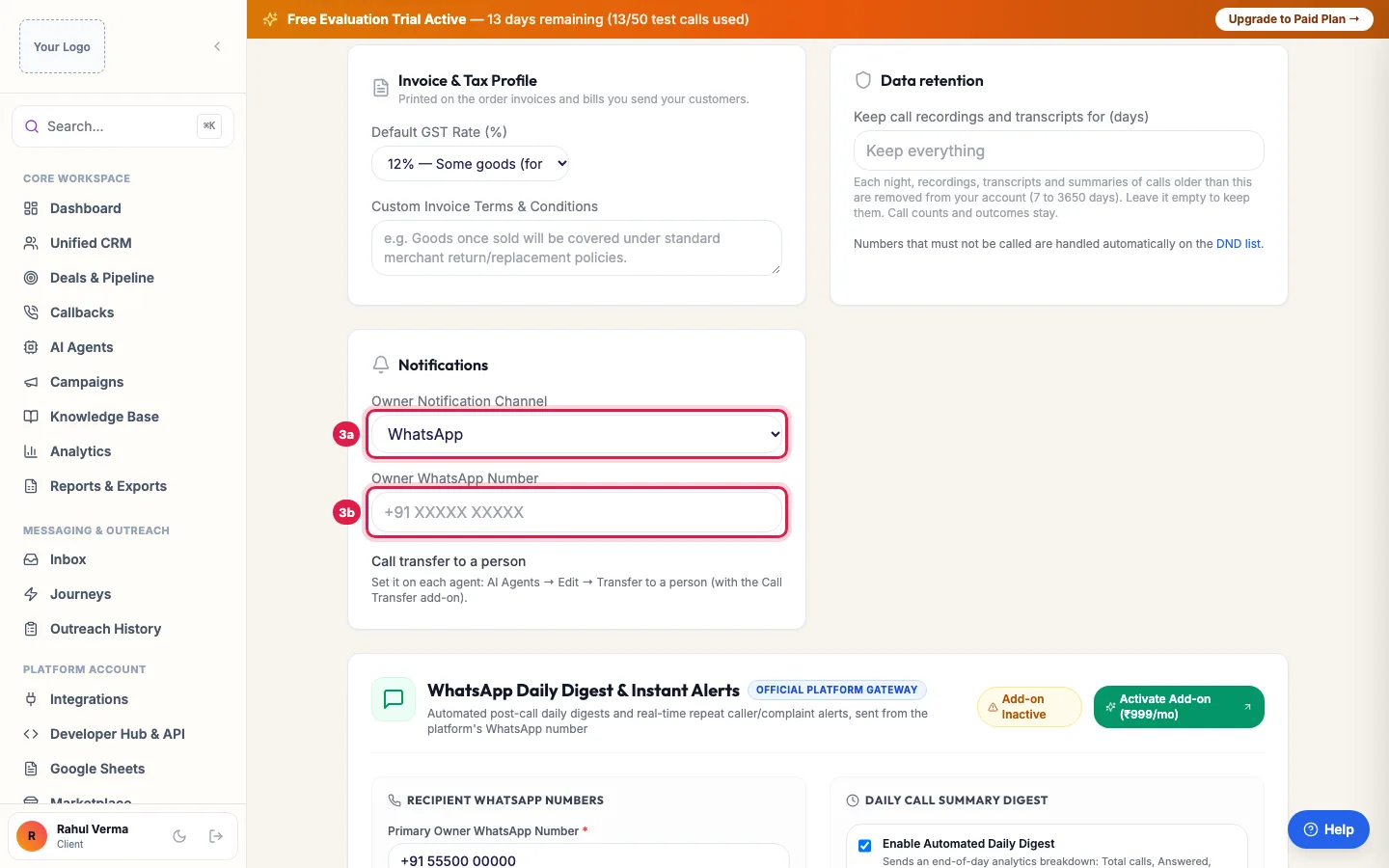
Notifications: where your own alerts and the daily summary go Under Notifications, choose the Owner Notification Channel and the Owner WhatsApp Number for your own alerts. With the WhatsApp Daily Digest add-on, set the extra numbers, Enable Automated Daily Digest and the Scheduled Delivery Time (IST).
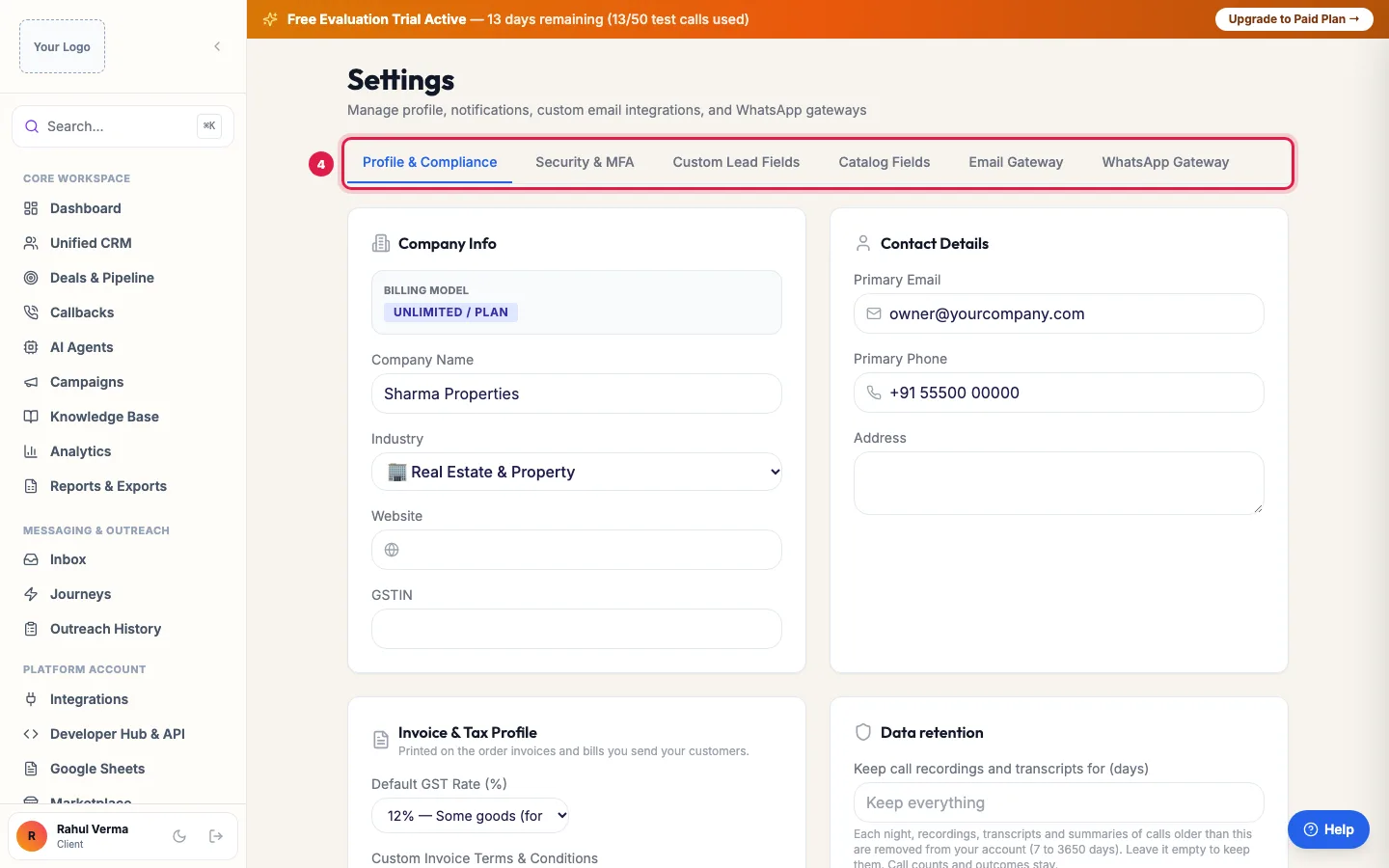
More tabs: security, custom lead fields, catalog fields, email and WhatsApp Click Save Profile Settings.
Use the other tabs as needed: Security & MFA for your own sign-in code, Custom Lead Fields and Catalog Fields for the fields your agents fill in and look up, and Email Gateway and WhatsApp Gateway for your own senders. Each tab has its own save button.
The tabs
- Profile & Compliance: company, contact, invoice and tax details, data retention and notifications.
- Security & MFA: your own 2-step verification, by Email code or an Authenticator app. Turning it off asks for a current code (from the app, or one we email); turning it on or off signs you out on your other devices. To switch method, turn the current one off first.
- Custom Lead Fields: the extra fields on each lead (Field Label, Field Key, Type: Text Input, Number, Dropdown Select or Yes/No). Agents fill them from calls; Save Custom Lead Fields.
- Catalog Fields: the columns of your Data Catalogs that agents look up.
- Email Gateway and WhatsApp Gateway: your own email sender and WhatsApp provider, the same settings as in Integrations.
Your industry
Your industry decides which ready pipeline stages, call outcomes and lead fields (the industry blueprint) your workspace uses; Custom Lead Fields shows the template in use. Leads keep their data if you change it, but the stages and outcomes your agents work with can change, so change it with care, ideally before your first campaigns.
Data retention
Each night, recordings, transcripts and summaries of calls older than the number of days you set are removed from your account. Call counts, outcomes and the lead's history stay. Empty means keep everything. Choose a period that matches your own policy, for example 90 or 180 days.
Your alerts
Owner Notification Channel and Owner WhatsApp Number decide where your own alerts go. The WhatsApp Daily Digest & Caller Alerts add-on adds the daily summary of the day's calls, at 8:00 PM IST unless you change the time, and instant alerts for repeat callers and complaints, to the owner's number and any extra numbers you add.
Example: A pharma distributor sets up its invoices
Shree Pharma Distributors enters its GSTIN and address under Company Info, chooses 12% under Default GST Rate (%) for standard medicines, adds its drug licence numbers and writes its return policy in Custom Invoice Terms & Conditions. Orders taken by the AI agent are now invoiced with these details. It also sets data retention to 365 days and adds the owner's WhatsApp for alerts.
Tips
- Add your GSTIN before you pay for a plan or recharge, so it appears on your GST invoices.
- Invoice & Tax Profile is for invoices you send your own customers (for example orders). Your invoices from us use your Company Info and GSTIN.
- Turn on your own sign-in code in Security & MFA even if your workspace does not require it.
Frequently asked questions
How do I change my company name or GSTIN?
Settings → Profile & Compliance → Company Info, then Save Profile Settings.
How long are AI call recordings kept?
As long as you set under Data retention (7 to 3650 days). Empty keeps them.
Will changing the industry delete my leads?
No. Leads keep their data; the stages, outcomes and fields offered can change with the new industry.
Where do I add custom fields like budget or city?
Settings → Custom Lead Fields. Add the field, choose its type and click Save Custom Lead Fields.
Daily report WhatsApp par kaise aaye?
With the WhatsApp Daily Digest add-on, set the number and the time under Settings → Notifications and Enable Automated Daily Digest.
How do I turn on two-factor sign-in for myself?
Settings → Security & MFA: Turn on email code, or Set up authenticator and scan the QR code. Your other devices are signed out when you turn it on.
Questions this guide answers
- How do I change my company details in the AI calling platform?
- How long are AI call recordings kept?
- How do I add custom fields to leads?
- Where do I add my GSTIN for invoices?
Related guides
- Add Team Members and Set Roles and Sign-in Security: Team is where you invite colleagues, choose what each person can do (Admin, Manager, Member or a custom role with module-by-module rights)…
- Industry Blueprints: Ready Call Outcomes, Stages and Lead Fields: An industry blueprint is the ready setup for your kind of business: the pipeline stages a lead moves through, the outcomes a call can end…
- Connect WhatsApp, Email, Your Store and Other Apps to AI Calling: Integrations is where you connect your own tools: your WhatsApp Business number, your email sender, your online store or any system with…
- Download GST Invoices for Your AI Calling Plan: Billing lists every GST tax invoice and payment of your account, with what you have paid and what is pending; open an invoice to print it…
- Daily Call Report and Caller Alerts on WhatsApp for Business Owners: With the WhatsApp Daily Digest & Caller Alerts add-on, you get a daily call summary on WhatsApp at the time you choose (8 PM IST by…