Campaign दोबारा चलाएं
संक्षेप में: Campaign खोलें और Redial / Restart Campaign पर क्लिक करें, ताकि उसी campaign में उन लोगों को फिर कॉल जाए जिन्होंने फ़ोन नहीं उठाया, callback मांगा या जिनकी कॉल fail हुई। किसे कॉल करना है चुनें, Start Redialing पर लिखी संख्या देखें और क्लिक करें; campaign calling के समय में फिर चलता है।
BookAICall का step-by-step गाइड। BookAICall एक AI voice agent platform है जो businesses के लिए हिंदी, English, Hinglish और दूसरी भारतीय भाषाओं में phone calls करता और उठाता है। Updated .
स्टेप बाय स्टेप
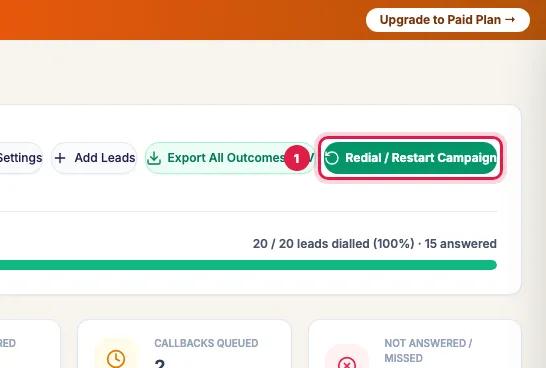
Campaign खोलें और Redial / Restart Campaign पर क्लिक करें (रुके हुए campaign पर Redial with Filters; पूरे हो चुके campaign के card पर Redial / Restart)।
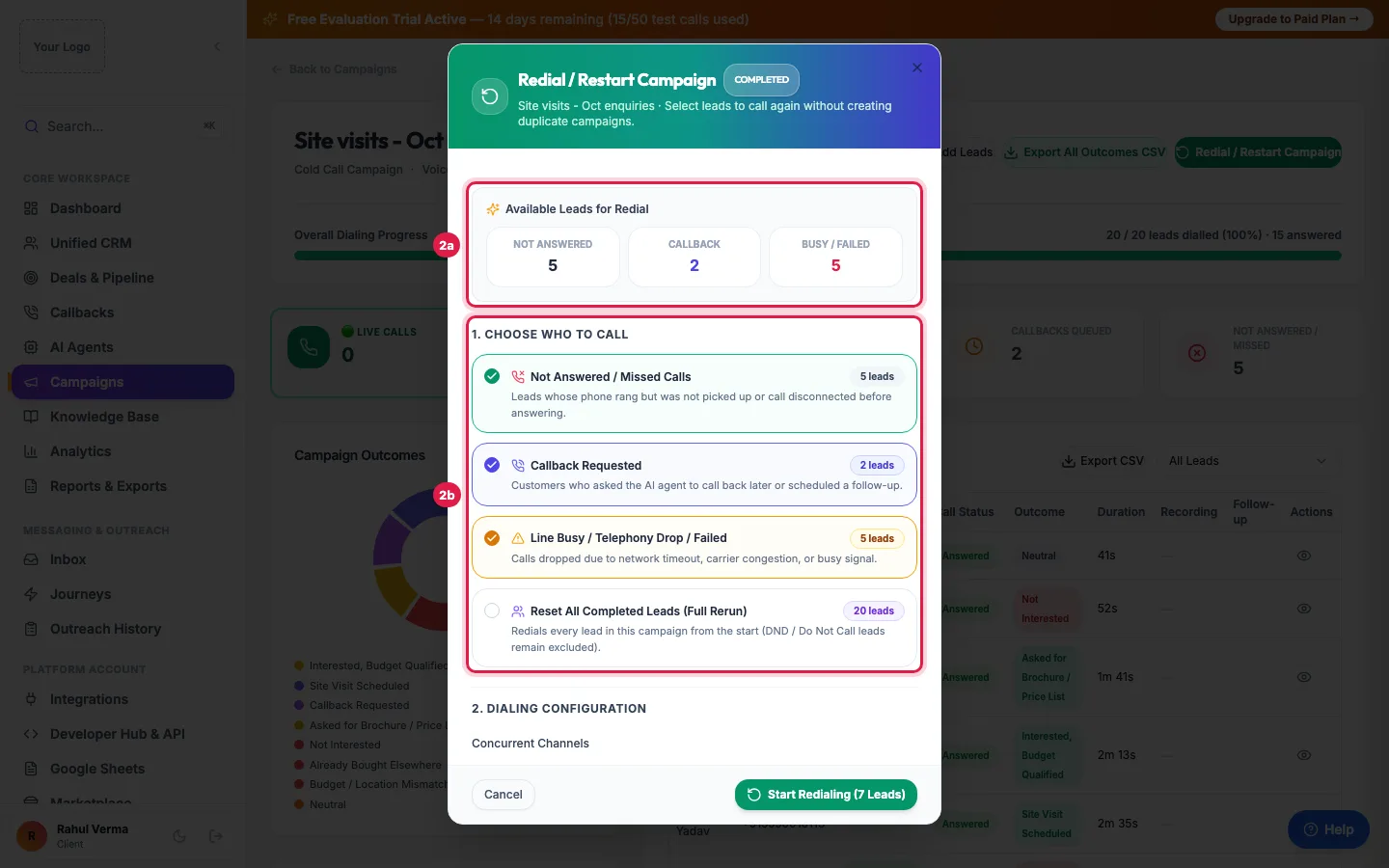
Available Leads for Redial बताता है किसे दोबारा कॉल किया जा सकता है। 1. Choose who to call में Not Answered / Missed Calls, Callback Requested और Line Busy / Telephony Drop / Failed चुनें, या सबको फिर कॉल करने के लिए Reset All Completed Leads (Full Rerun)। Do Not Call list वाली leads कभी शामिल नहीं होतीं।
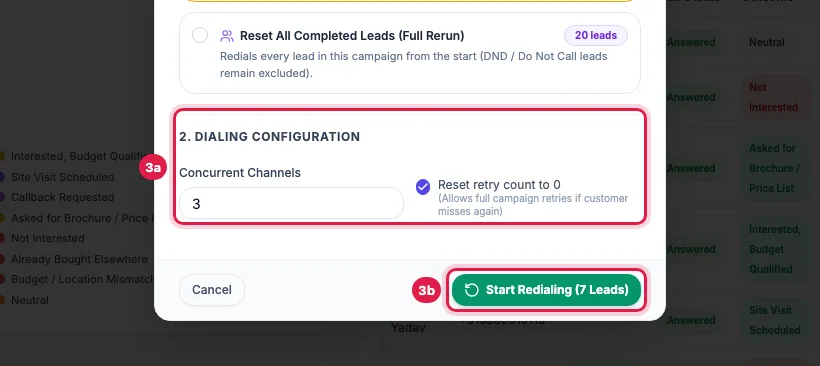
2. Dialing Configuration में Concurrent Channels और Reset retry count to 0 तय करें, फिर Start Redialing पर क्लिक करें। बटन बताता है कि कितनी leads को कॉल जाएगी; जो lead दो विकल्पों में आती है वह एक ही बार गिनी जाती है।
Tips और पूरी जानकारी: How to Redial Unanswered Leads in an AI Calling Campaign (English)